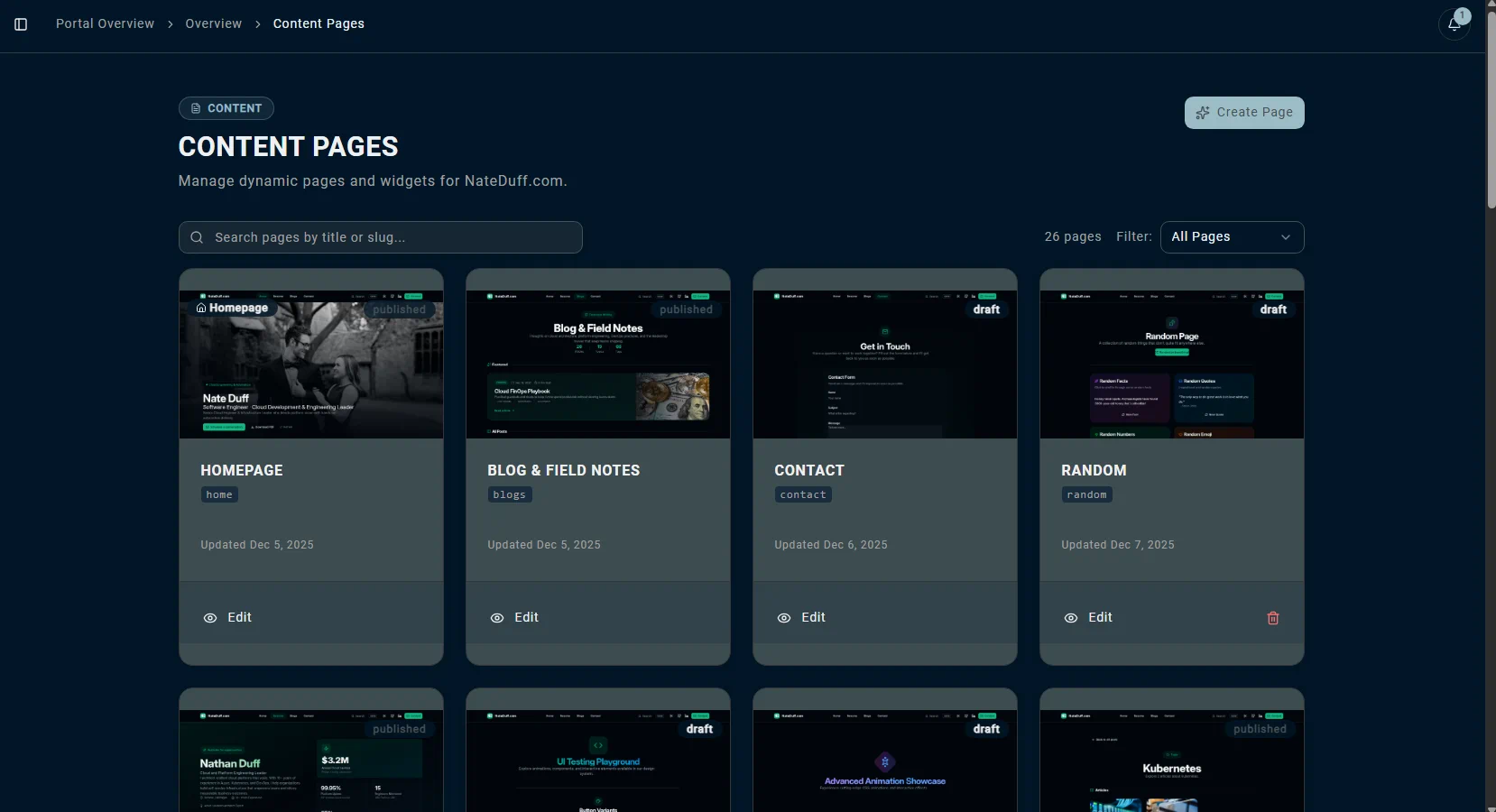
CMS and page editor
Change the public site without learning a builder.
Pages, sections, text keys, images, drafts, and revisions.
Service menusPractice pagesProject galleries
A custom website plus the portal behind it — content editing, booking, payments, kiosk workflows, releases, requests, and reporting in one managed place.
Every module ties to an owner job: update the site, sell a service, collect payment, run the front desk, publish content, or send DCS the next deeper change.
Change the public site without learning a builder.
Pages, sections, text keys, images, drafts, and revisions.
Turn the site into a scheduling surface.
Appointments, classes, providers, capacity, reminders, and availability.
Collect money where the customer already decided.
Stripe payments, deposits, packages, memberships, receipts, and reporting.
Extend the website into the lobby.
Self check-in, waivers, walk-ins, and in-person payment moments.
Keep the site alive after launch.
Blog posts, SEO suggestions, publish timing, social cross-posting, and metadata.
Ask for the changes that should still be handled by DCS.
AI-assisted briefs, development requests, release history, and tracked handoff.
The public page, portal, and in-person workflow belong to the same customer path — less handoff between tools, and fewer places for the business to lose track.
Fast pages, local content, schema, and service landing pages help the right visitor arrive.
Proof, pricing cues, CTAs, and service details move the visitor toward one useful action.
Booking flows can handle appointments, classes, staff, capacity, and reminders.
Deposits, packages, subscriptions, and Stripe payments stay attached to the business flow.
Kiosk, waiver, and walk-in moments keep the front desk from becoming the bottleneck.
Reports and content signals make the next site update easier to prioritize.
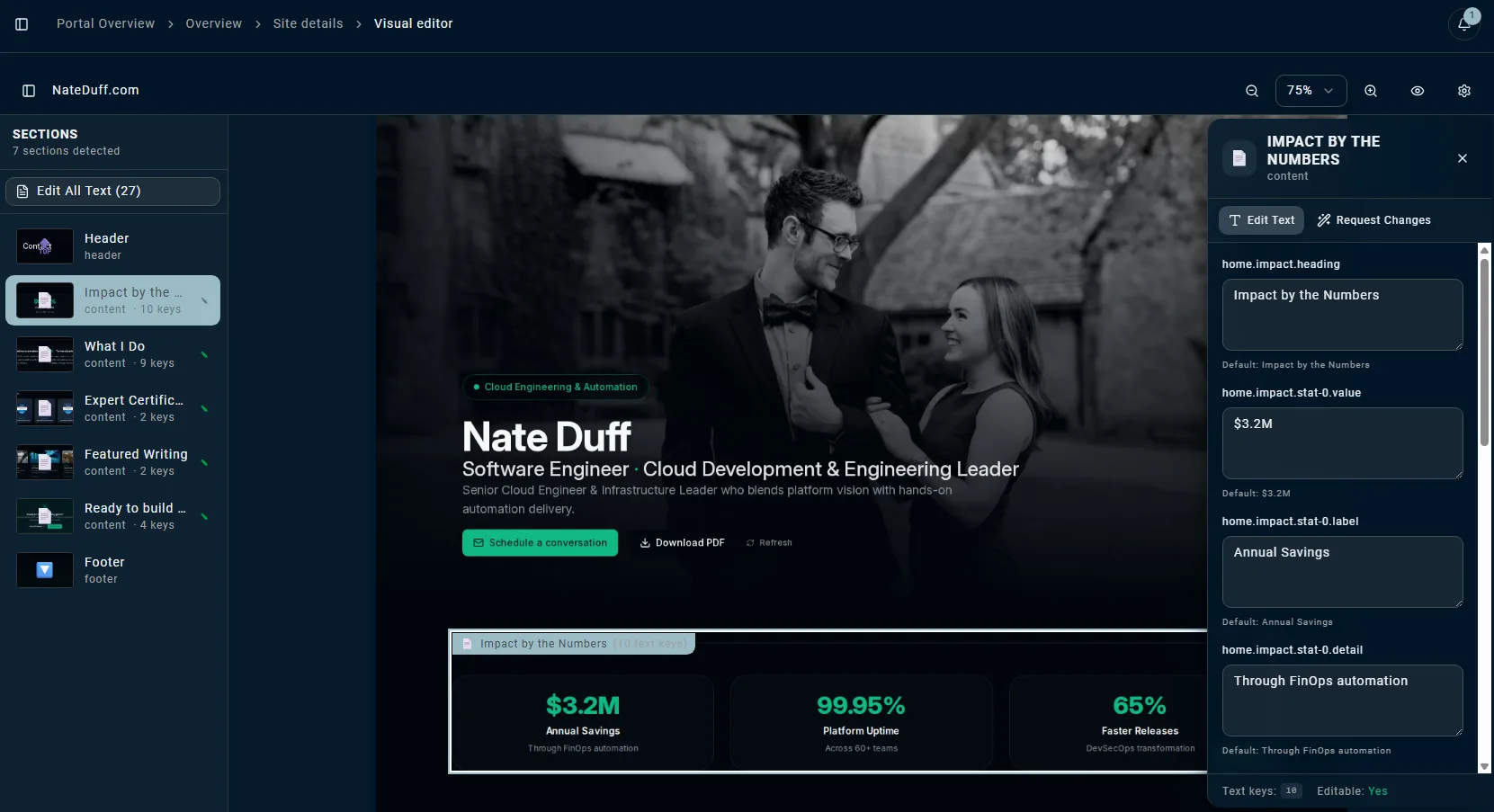
The page editor is not a toy builder. It is a controlled editing layer for the managed site: clear owner-safe fields, a preview of the real page, and a request path for deeper design or code changes.
The visual editor detects managed sections and text keys on the actual page preview.
Copy, images, alt text, blog metadata, and page content stay editable without code access.
When a change needs design or code, the owner can send a structured request to DCS.
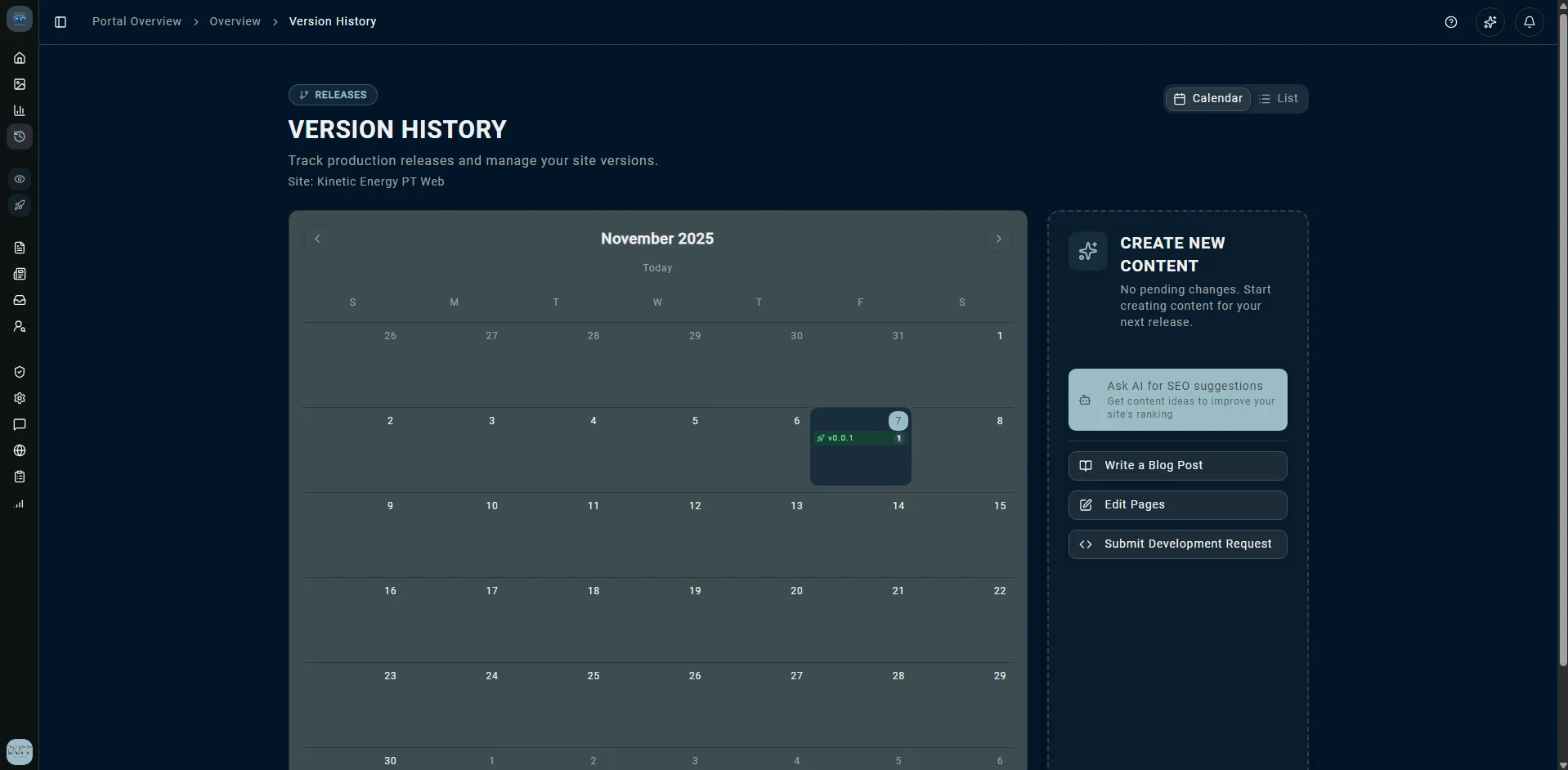
Published changes, revisions, and rollback context make the site feel controlled.
A release calendar tracks every production version of the site. From the same screen, one tap drafts a blog post, pulls AI-powered SEO suggestions, or opens a development request — so the site keeps improving without anyone juggling tools.
A clinic, gym, salon, or contractor can use the same DCS backbone while getting the controls, content, and customer flow that fit how that business earns money.
A careful content and booking system for trust-heavy services.
A revenue path for classes, memberships, packages, and walk-ins.
A polished service menu that can sell deposits and repeat visits.
A lead machine with proof, service areas, and follow-up signals.
Owners should not have to become web operators. DCS gives them a place to make simple updates, ask for deeper work, review releases, and keep content moving.
Publish shoulder-pain service page
Content drafted, images attached, SEO fields reviewed.
Generate local FAQ ideas
Suggestions based on service pages and search intent.
Update booking CTA across landing pages
Owner-safe copy change with a release note.
Add membership explainer section
Builder-level layout request ready for DCS.
Walk through the portal with us and map the pieces your business actually needs: editing, booking, payments, kiosk, content, reporting, and managed site changes.